
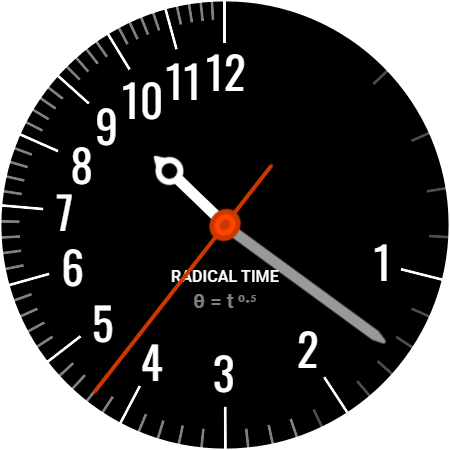
Welcome to Radical Time. You have chosen a watch face where mathematical precision meets high energy visual design. This guide provides a technical overview of the unique nonlinear time display and the three step Radical Lab customization engine.
1. How to Read the Time
Radical Time replaces the predictable, constant speed of a standard clock with a mathematical progression based on θ = t⁰⁵, the square root of time formula.
Infinite Velocity and Deceleration
In a typical watch, hands move at a fixed speed. This watch face introduces the concept of Infinite Velocity. Because of the square root logic, every cycle begins with the hands moving at an incredible speed followed by a rapid deceleration.
The result is a striking visual signature:
- The First 15 Seconds: The hands travel exactly halfway around the dial (180 degrees) in the first 15 seconds.
- The Final 45 Seconds: The remaining 45 seconds are compressed into the second half of the dial.
While this deceleration is most apparent on the fast moving second hand, this physical manifestation happens simultaneously across seconds, minutes, and hours. Every time a hand passes the 12 o’clock mark to begin a new cycle, whether it is a new second, a new minute, or a new hour, it launches with that same infinite velocity. At the start of an hour, you are witnessing three overlapping square root functions performing a synchronized mathematical dance across your wrist.
Familiar Reading, Radical Positions
Although the hands are in different positions than a conventional watch during the hour, the logic for reading them remains the same.
- On the Mark: When the hour hand is directly on a number, it is that hour.
- In Transition: When the hand is between numbers, it is still the earlier hour, making its way toward the next one.
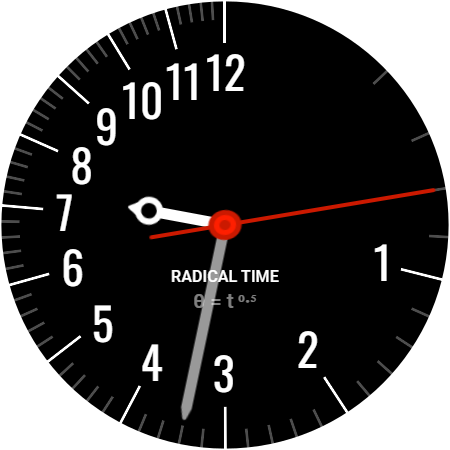
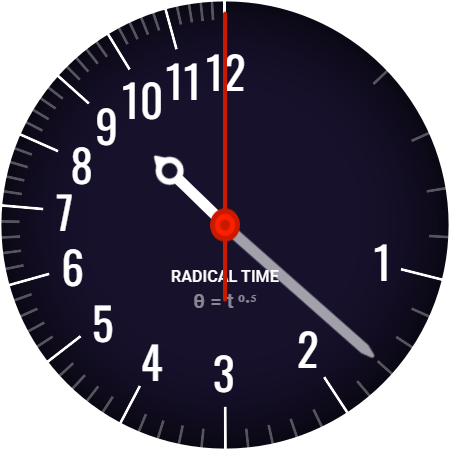
In the example to the right, the hand position tells you that “it’s about 9:32” but look carefully at the numbers that the hands are pointing to, the time is quite different:
- The hour hand is between the 7 and 8, meaning it’s still the 7th hour
- The minute hand is two lines after the 3, making it the 17th minute
- The second hand is 3 lines from the top of the minute, making it the 3rd second.
Put that together and it, 7:17 and 3 seconds.
Whether you are a math expert who understands the polar coordinate mapping or someone who simply wants a watch face with a unique and aggressive energy, Radical Time offers a display unlike anything else on Wear OS, and is certain to confuse your frieds.
Dial Hierarchy
To ensure the display remains a functional tool despite its aggressive geometry, Radical Time uses a smart visual hierarchy.
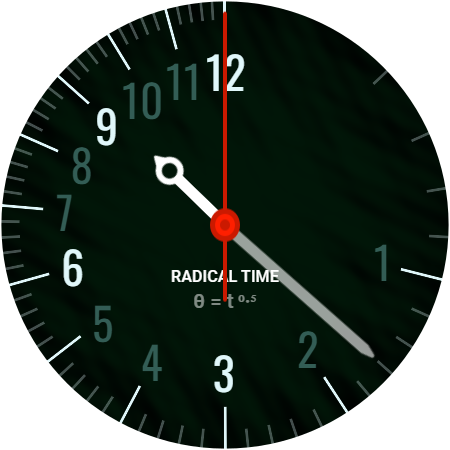
- Major Anchors: The 12, 3, 6, and 9 positions are always bright and easy to identify.
- Dimmed Minor Ticks: The markers between the major anchors share your chosen theme color but are automatically dimmed. This prevents visual clutter and allows you to find the primary time positions at a glance.
Technical Deep Dive
The layout of Radical Time is built using Polar Coordinate Geometry. By applying a square root to the time variable, the watch face displays a mathematical transformation of a traditional clock. If you want to explore the math behind how points are mapped using these systems, you can read more about Polar Coordinate Systems on Wikipedia.
2. The Radical Lab (Customization)
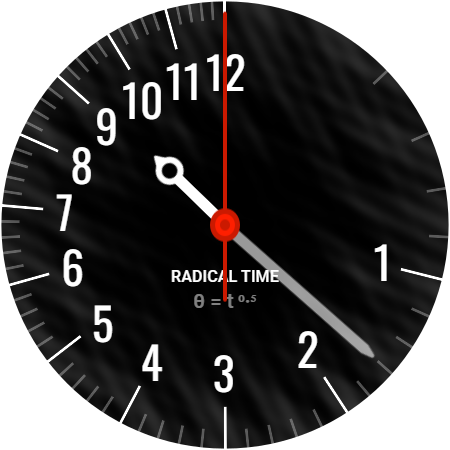
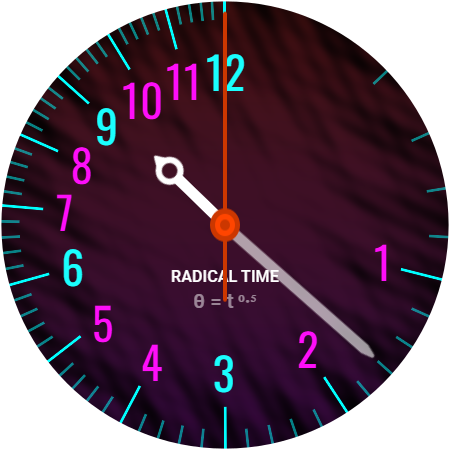
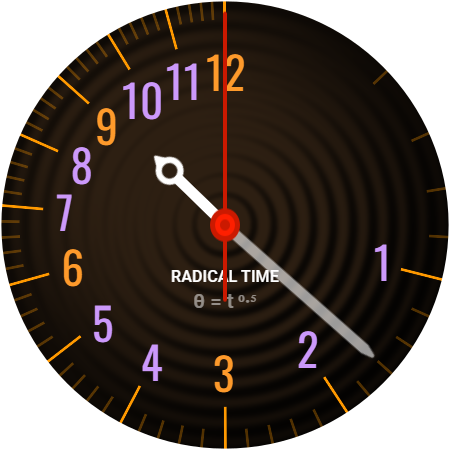
The core of this watch face is the Radical Lab. This engine allows you to layer three independent elements to create 1,700 unique combinations. This modular system gives you total creative freedom.
Step 1: The Radical Theme
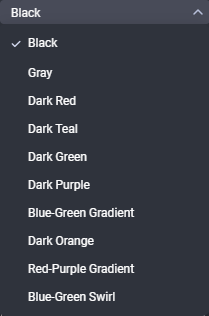
Choose from 17 unique palettes. This includes the renamed original Classic B&W along with many other curated options. Selecting a theme sets the primary color for your numbers, hands, and complications.
Step 2: The Radical Canvas
Select from 10 background options. This layer provides the foundation for your watch face. Options include solid colors, technical gradients, and subtle swirls.
Step 3: The Radical Patterns
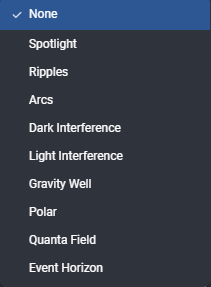
Finally, layer one of 10 transparent patterns on top of your background. Patterns like Interference, Ripples, or Polar add depth and texture to the display.
Tip: Because the Radical Lab allows for such deep customization, some combinations may work better together than others. I encourage you to experiment with different pairings to find the look that fits your style best.
Here are a few of the many combinations created by combining a theme, canvas and patterns:
3. Complications and Hands
Radical Time is designed to be both functional and aesthetic. I have ensured that your essential data remains a part of the design.
- Themed Hands: The hour and minute hands automatically follow your chosen Radical Theme for a unified look.
- Unified Complications: The complication icons and text values align with your theme colors. This ensures that heart rate, weather, or battery data feels integrated into the watch face rather than sitting on top of it.
- Layering: The minute hand is positioned above the clock numbers to ensure it is always visible.
4. Always-On Display (AOD)
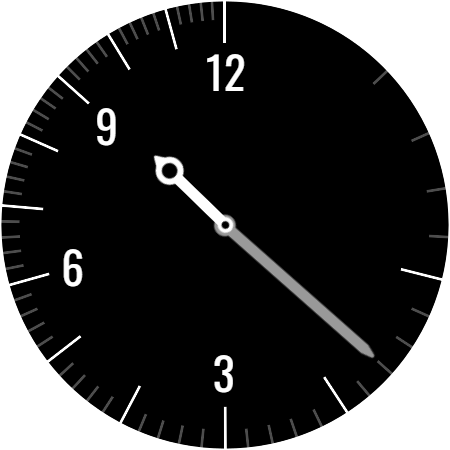
Radical Time is optimized to protect your watch battery and screen when idle. When your watch enters AOD mode:
- Color Themes remain on: The color theme you selected will remain selected.
- Backgrounds and Patterns turn off: This reduces power consumption and protects against screen burn-in.
- Essential Time Remains: The core time elements stay visible in a high-contrast, minimalist state.
- Minimal Footprint: This mode is perfect for checking the time at a glance in dark environments without waking the full, bright display.
5. Technical Efficiency
Despite offering 1,700 possible visual combinations, Radical Time is built for performance.
- Memory Optimization: All 1,700 combinations are generated from a package under 1.5 MB.
- High-Quality Assets: Every pattern and background has been optimized to use the least amount of memory possible while maintaining sharp, professional visual quality.
- Performance: The modular architecture ensures that switching between themes is fast and does not impact your watch system speed.
6. Troubleshooting
- The display seems too busy. If you have a complex pattern and background color active, try switching your Radical Theme to Classic Black & White or Classic Gray to increase contrast.
- Complications are not updating. Ensure that Radical Time has permission to access your sensors. You can usually reset this by switching to a different watch face and then switching back to Radical Time. Be sure to tap Allow when prompted for permissions.